


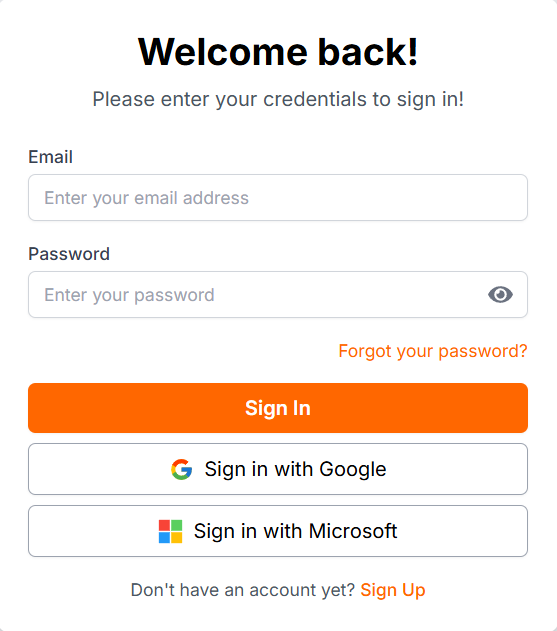
Effortlessly access your personalized dashboard by signing up or logging in to BookMeSmartly (BMS). Stay organized and manage your bookings seamlessly with just a few clicks.
- Quick sign-up
- Secure login
- Single dashboard




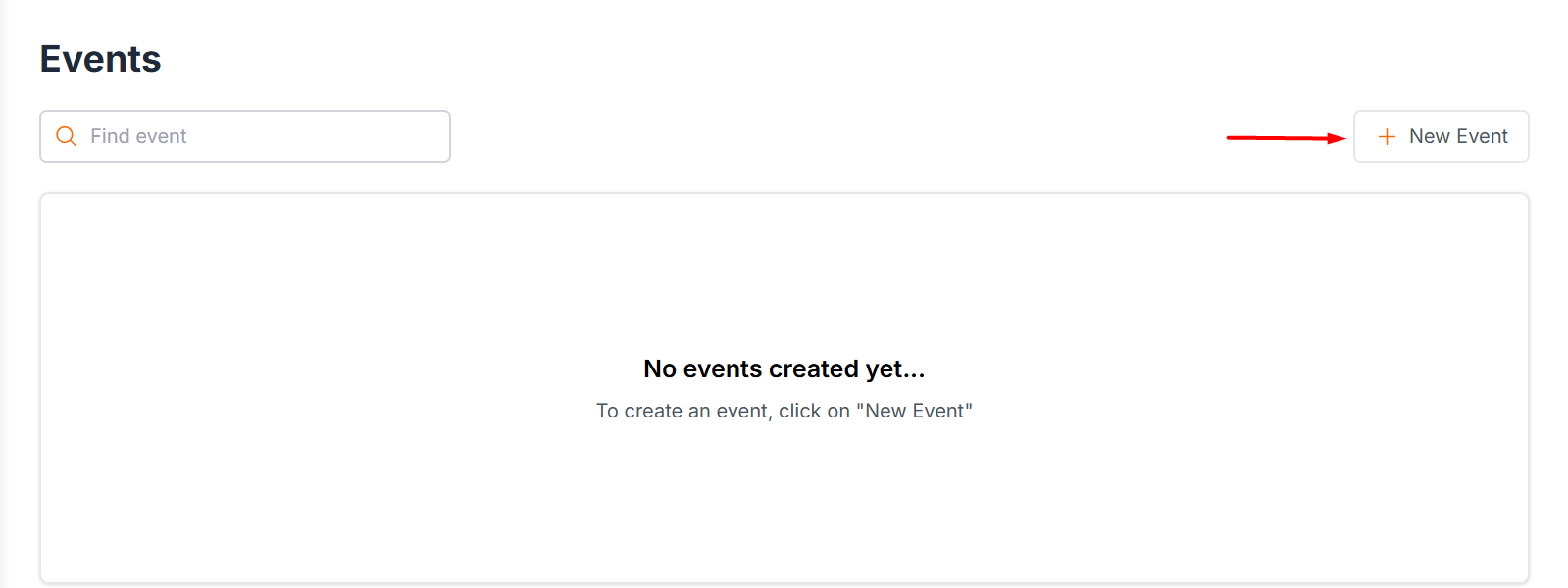
2. Start Your Event Creation Journey
Easily start organizing by clicking the New Event button or selecting the Create Event menu. There are two type of event that user can create.
- One to One event
- Group event
- User-friendly interface
- Customizable options
- Real-time updates
3. Create Your Event Effortlessly
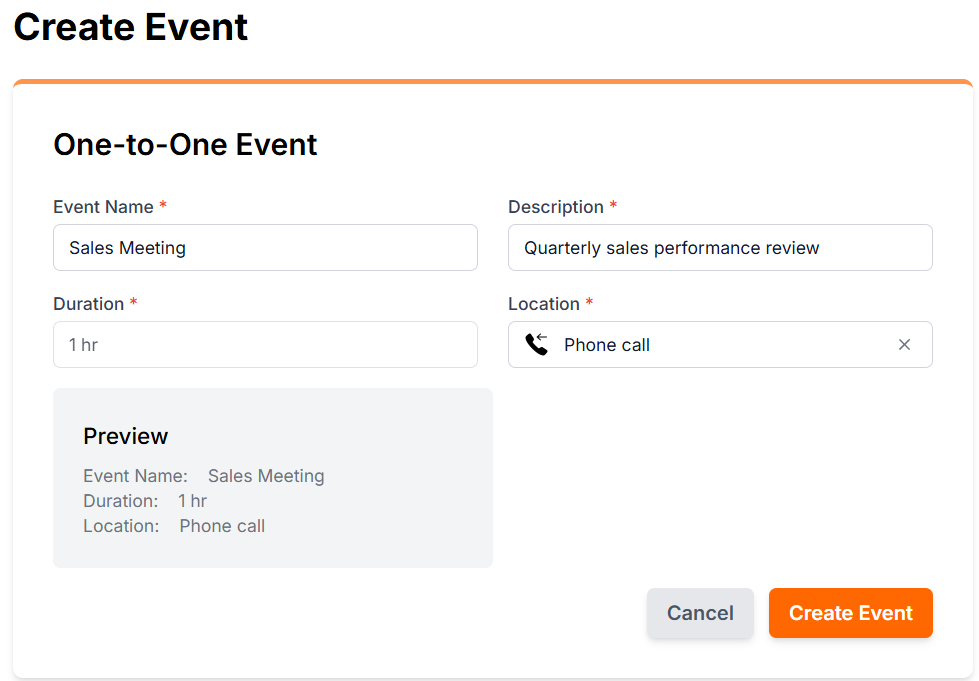
Easily enter the event name, add a brief description, select your desired location, and click the "Create Event" button to finalize. It's that simple to set up your next gathering or occasion!
- Quick event setup
- Customizable details
- User-friendly interface
4. View Your Events on the Dashboard
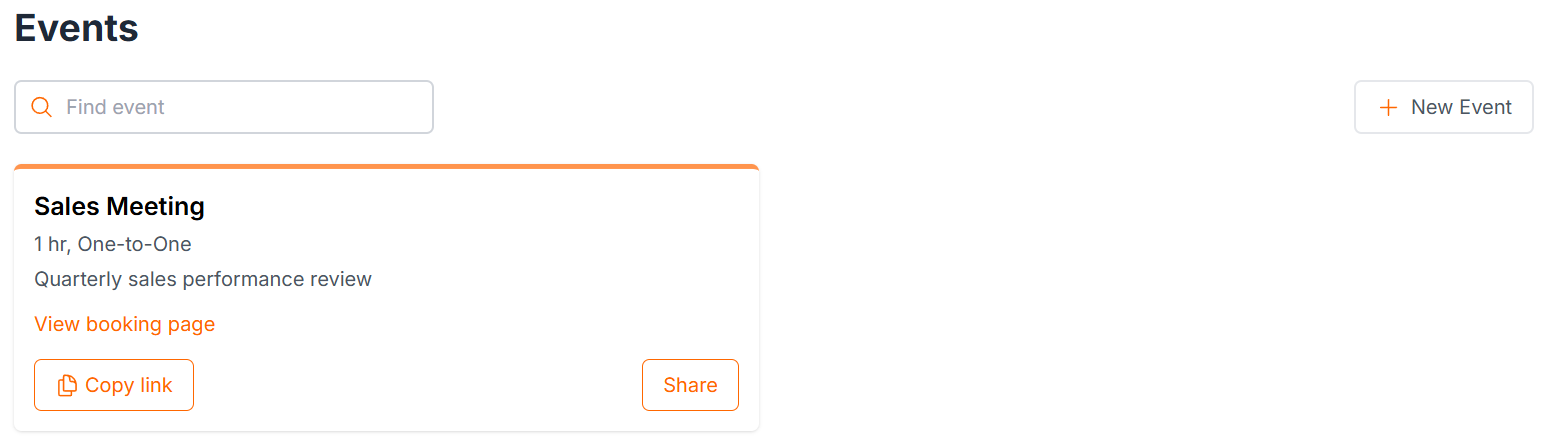
After creating an event, it will instantly appear on your dashboard. Easily track, manage, and access all your events from one convenient location.
- Instant visibility
- Centralized management
- Quick navigation
5. Share and Embed Your Event Effortlessly
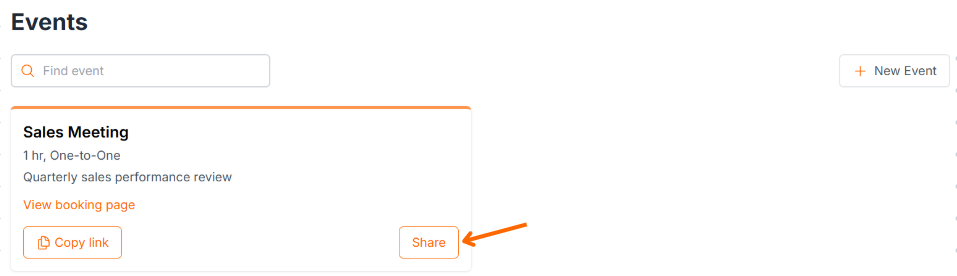
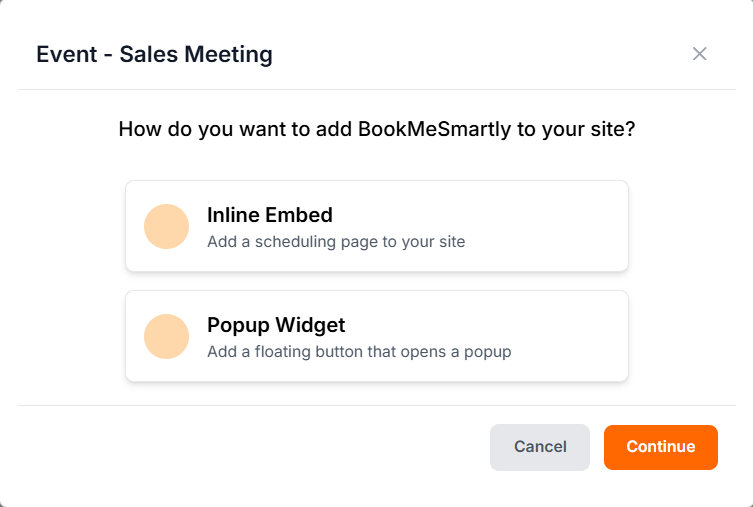
Click on the "Share" button of your event and choose the desired embed type to seamlessly integrate your event into websites or emails. There are 2 types to embed your event in your website.
- Inline Embed
Popup Widget
- Embed event details directly into websites or blogs.
- Generate a customizable and sharable link for wider reach.
- Responsive designs ensure compatibility across devices.
6. Easy Embed Code Generation
Select your preferred embed type, click on "Continue," and then use the "Copy Code" button to get the embed code instantly. Effortlessly integrate events into your site with just a few clicks.
- Simple and quick code generation for embedding
- Customizable embed options to fit your needs
- Compatible with various platforms and devices